Hi the Spark community!
I was shooting a feature film in NYC, and was impatient to come back home to open my PIXBOOM Spark. But now that I have the baby in hand, I can’t update the firmware 
I got trough all the process, FAT32 USB-C flash drive, only the firmware file, etc. The camera see the file, but I’m holding the “update” button for 5sec and more, and nothing happen… I’m very confused. Any suggestion?
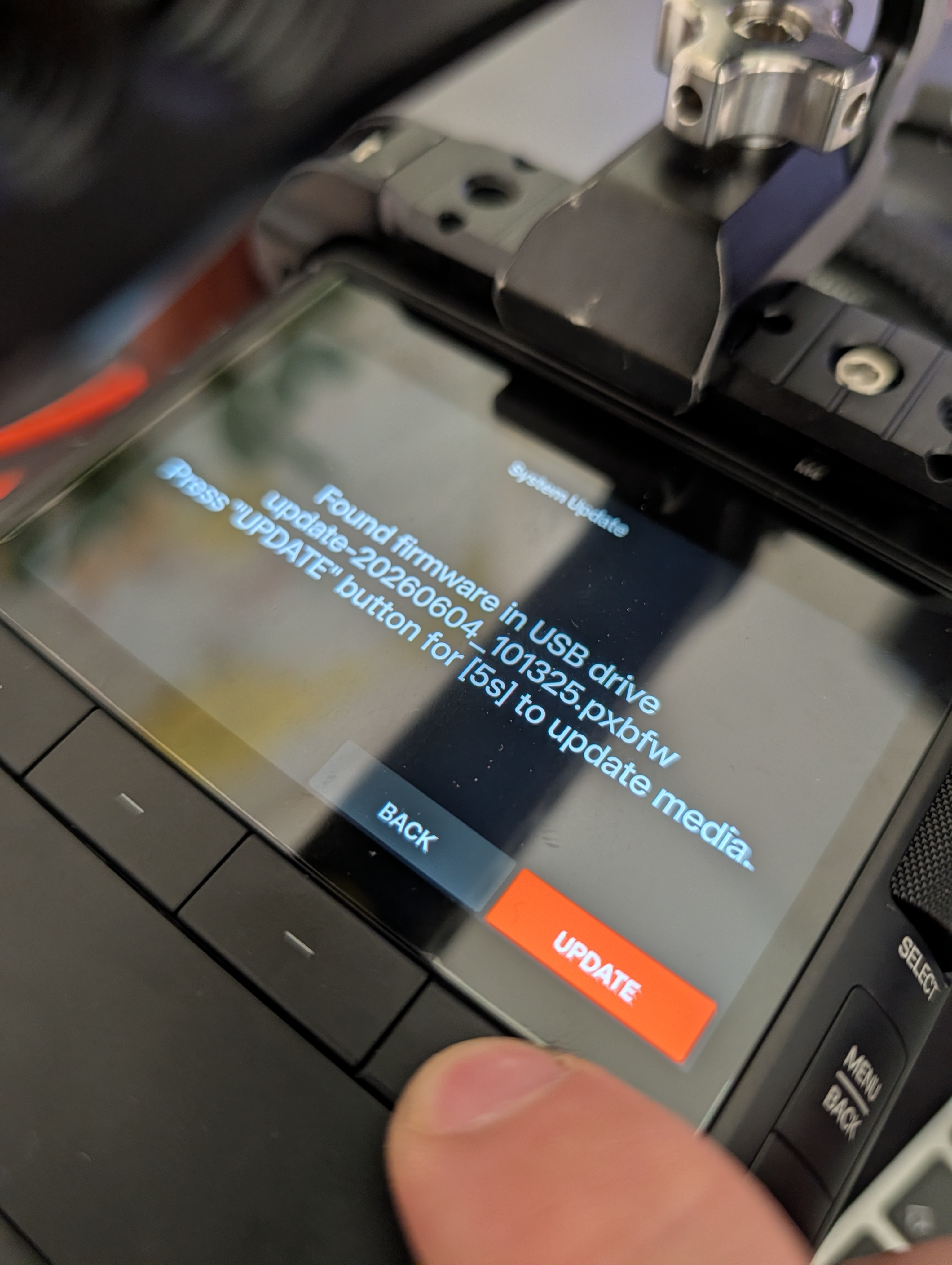
Press and hold the update button on the screen for 5 secs a count down will start. You can not press the hardware button it won’t work… I did the same thing lol
If you need another Spark on set, I am just an hour north of NYC :-)
Are you going to Ryan’s gathering on the 17th?
1 Like
Oh my god! I didn’t notice that the screen was a touch-screen >_<
Thank’s a lot! It work!
1 Like
LOLOLOLOLOLOLOLOLOLOL Happy Surprise!, Until the hardware buttons get fully fixed in the UI, you will find the on screen buttons to be more reliable.
1 Like
Hi dear, could you please let us know your firmware version? We tested this hardware button on our test unit, and it works properly on our side.
This may have only been an issue on V1.0.. it happened to me on the the update screen to V1.01
Don’t remember the version before the update (v1.0.0 I guess?), but with the help of @SwissArmyCinema I updated it on V1.0.1
In fact, the physical buttons don’t work well, like in the menus It’s a lot better to use touch-screen
Currently in the firmware there are just buttons that should on things and don’t at that moment. The hardware is fine, it’s just refining the code… However with the updated UI coming it’s a moot point anyway.
I agree. The physical buttons in sub menus don’t work well. I also had to use the screen button to hold 5 seconds for the update.
I do hope it gets fixed soon with a fully functioning roller, and complete control possible with the physical buttons. I’m currently developing a dive (not surf) housing for the Spark and would need these physical buttons and the roller to work.
Hi Kaybum, I’m a professional underwater operator (DP for comercials on ground), and I’m very interested to help/test/use your case!
1 Like
Thank you all for the feedback. We’ll continue investigating the issue.
The hardware button interaction issue on the Menu page will be fixed in an upcoming firmware release.
2 Likes
I found the same button issue to be there when you format the SSD… V1.01
1 Like
Thats good to know! Thank you!
Will release more info here when it’s ready,  .
.
I’m a little concerned about the inability to do a MWB… I do hope they implement this ability soon. It’s essential for underwater wide angle work filming natural history.
I am certain this will come, we have discussed tools like this at length before… Likely they just do not want to spend more time adding features to what will soon become the outdated UI … Once the new UI drops they will have a clearer road map for features.
2 Likes