According to Pixboom, both of those will be after-market firmware and software upgrades, do they will probably come later. Getting the cameras to backers and getting the SDI port working are their current priorities, adding support for other output formats and for 12-bit recording will be nice upgrades to our cameras when they’re ready for us.
1 Like
No in camera color profiles. It just has a 709 look to it that can’t be adjusted. Those screenshots, as I explained, are just me turning down the saturation and contrast in the software after the fact. I’m not sure if it’s undoing the 709 and giving me a true LOG image when I do that, or just desaturating/decontrasting the 709 image. It doesn’t quite look like a native LOG image to me when I use those sliders, but maybe I’m wrong.
Currently, in camera, it’s only the 10 bit PXBC files. The 12 bit and ProRes options will come later.
Hi there, I spent the weekend looking into this for you — after checking with our supply chain, it turns out the factory workers accidentally packed the wrong mounts during the loading process. 
We’ve already flagged your order and your two extra mounts will be shipped out in mid-June. I’m truly sorry for the mix-up on the factory’s end — that’s on us, and I really appreciate your patience! 
— Jing
2 Likes
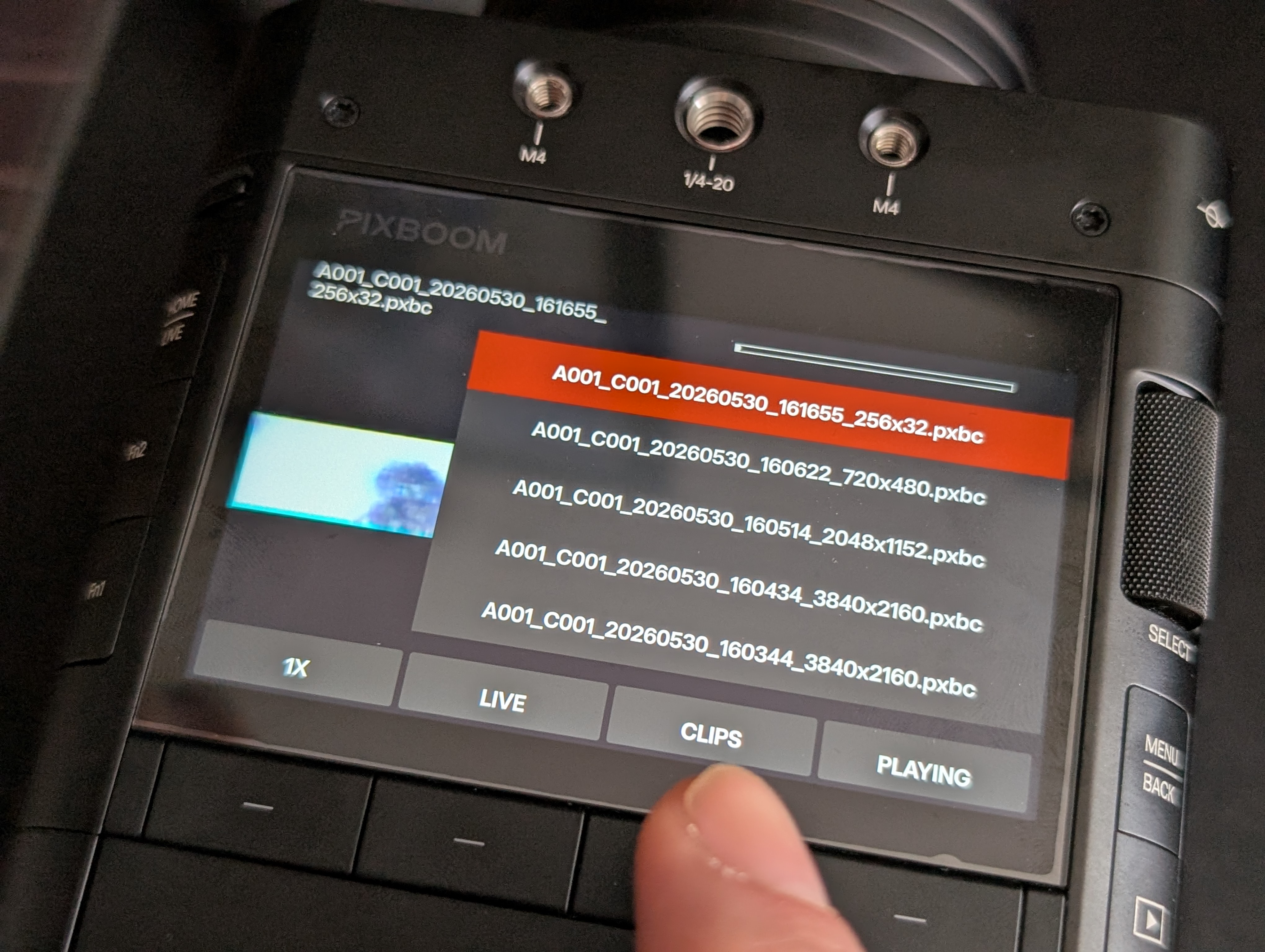
Hi! I’m number 116 so hope that won’t take too long to receive mine, but in the meantime can you tell me if the playback mode offer the options to playback a single clip or choose to automatically pass on the next clips while finish the previous one? (Arri modes basically, against Phantom that offers just to playback single clip)
You can load up a clip list and jump directly to whatever clip you want. I’m not sure if that answers your question.
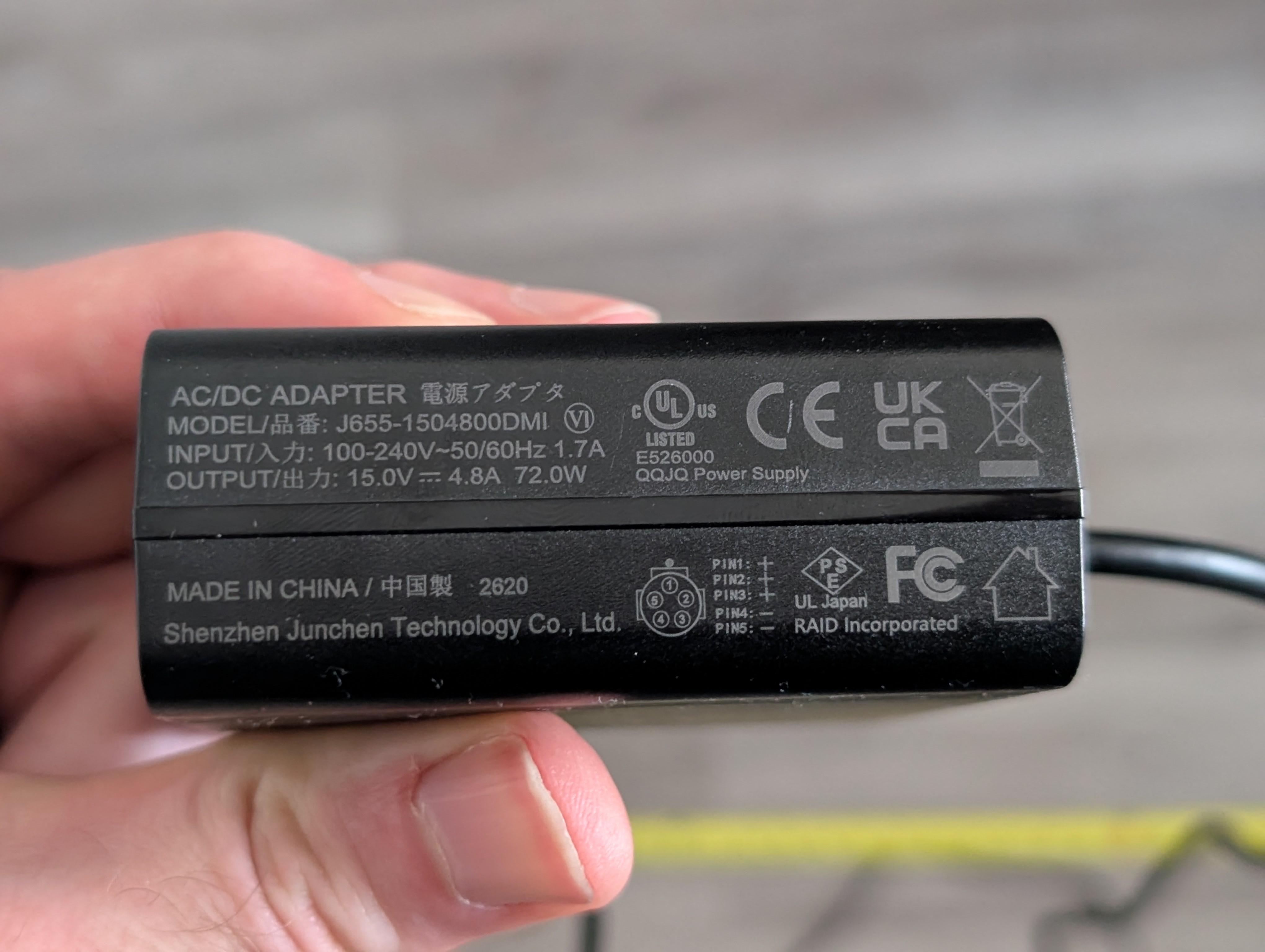
Hi, could you check how long the cable from the power supply to the camera is and what voltage the power supply outputs? Thanks in advance!
No, I mean: example: you have 20 clips:
-
you start clip one and at end of clip one playback stop
-
you start clip 1 and at end clip one restart
-
you start clip one and at end of clip one it playback clip two, then clip three etc etc
option 3 is the one I care most (needed to broadcast all clip via an rf link without needs to manage camera for 2 hours)
From the back of the AC adapter to the tip of the plug is 9’9".
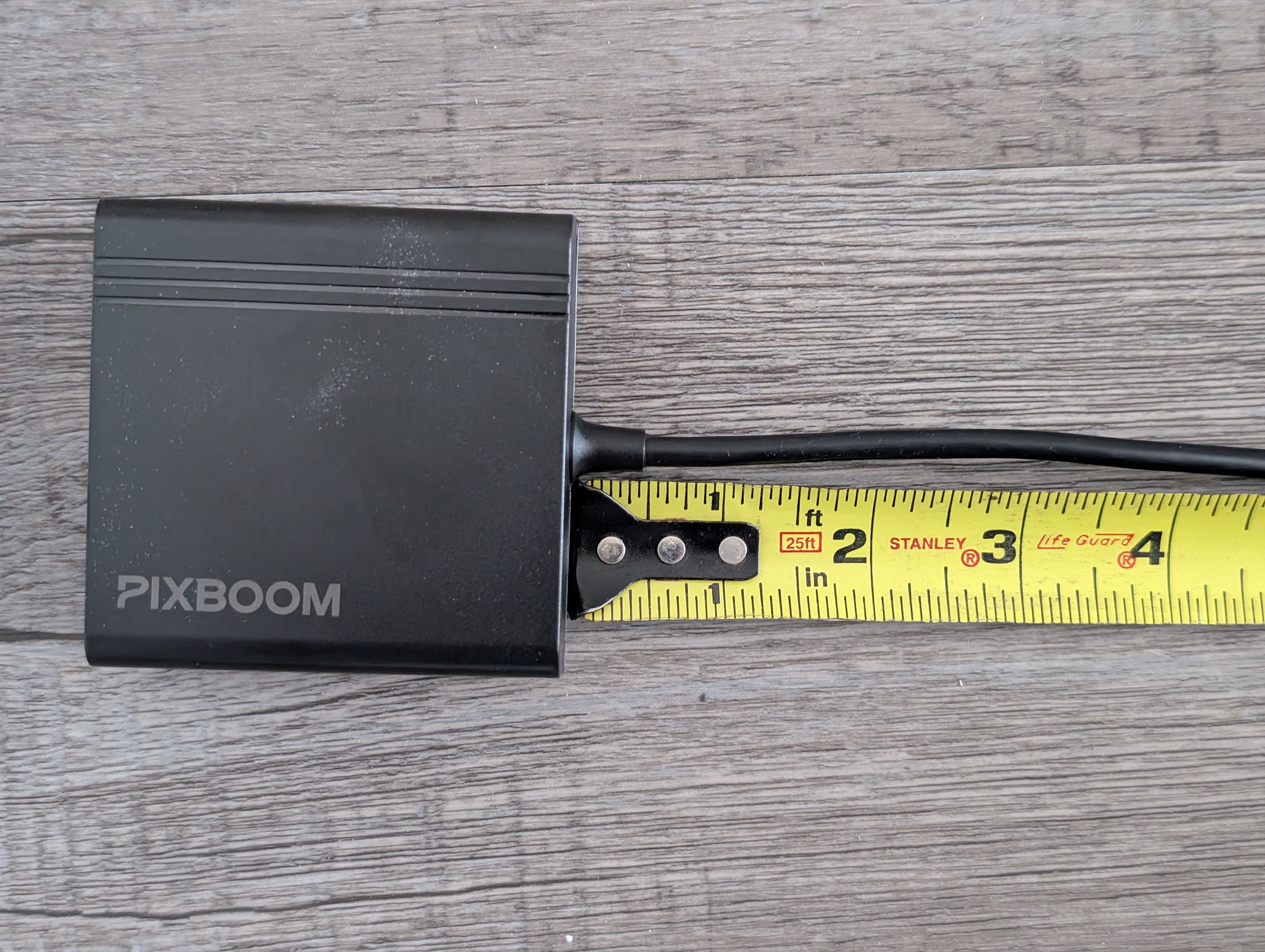
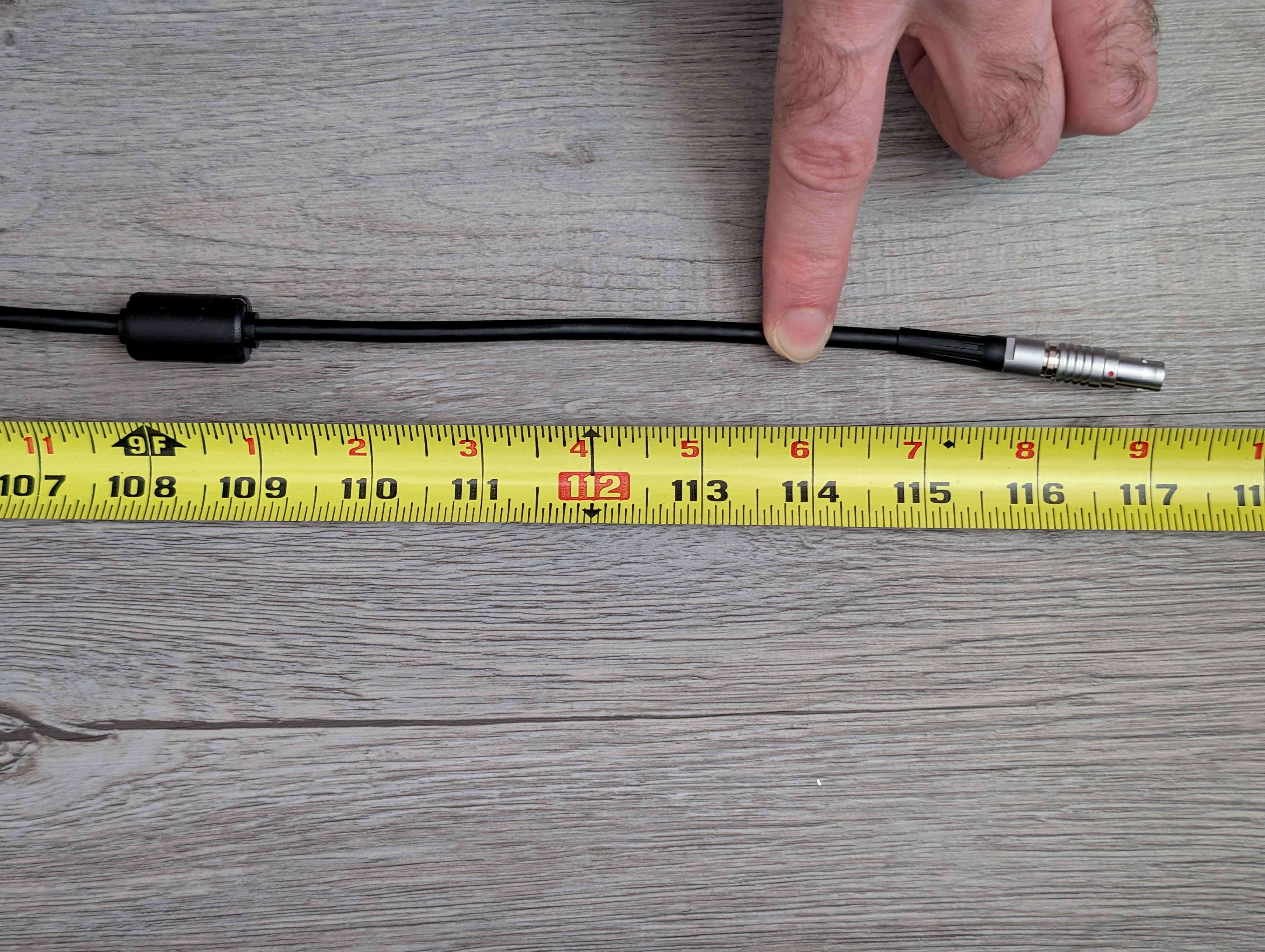
The AC adapter says the output is 15.0V, 4.8A for 72W total.
1 Like
Option 2. It plays to the end of the selected clip and then starts playing the same clip over automatically. I don’t see any options to change that right now.
Thanks for the answer.
Need to suggest the development team to see if they will be interested in adding this software functionality
2 Likes
Just one update about my order not including the wall plug: I got an email reply and they said it’s on purpose. Since countries have different plug standards, they’re leaving it up to us to source our own plugs.
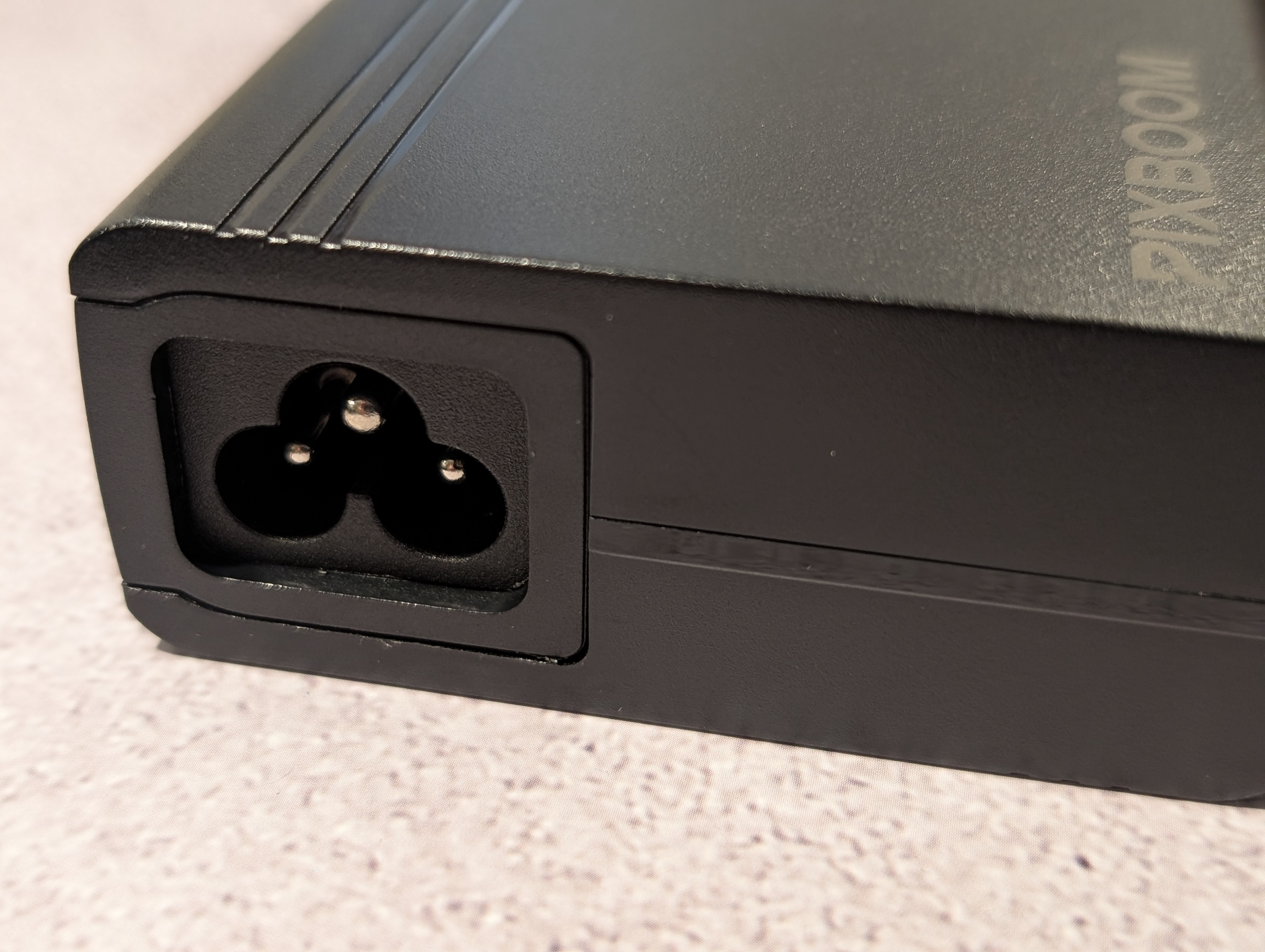
So we get the power brick and need to source our own power cable to connect to the brick?
Yes, the AC brick to camera side is included with the camera. I’m attaching a picture with the power supply showing the correct plug shape. It’s a C5/Mickey Mouse style connector.
1 Like
Cool. It sounds like it will be easy to obtain one. And I probably have one that will work lying around anyway, for when I’m not using v-mounts.
Any news on the antenna?
Please can you send us each an antenna out in due course, please, Pixboom? Or at least point us to a link for a generic model we can purchase locally?
1 Like
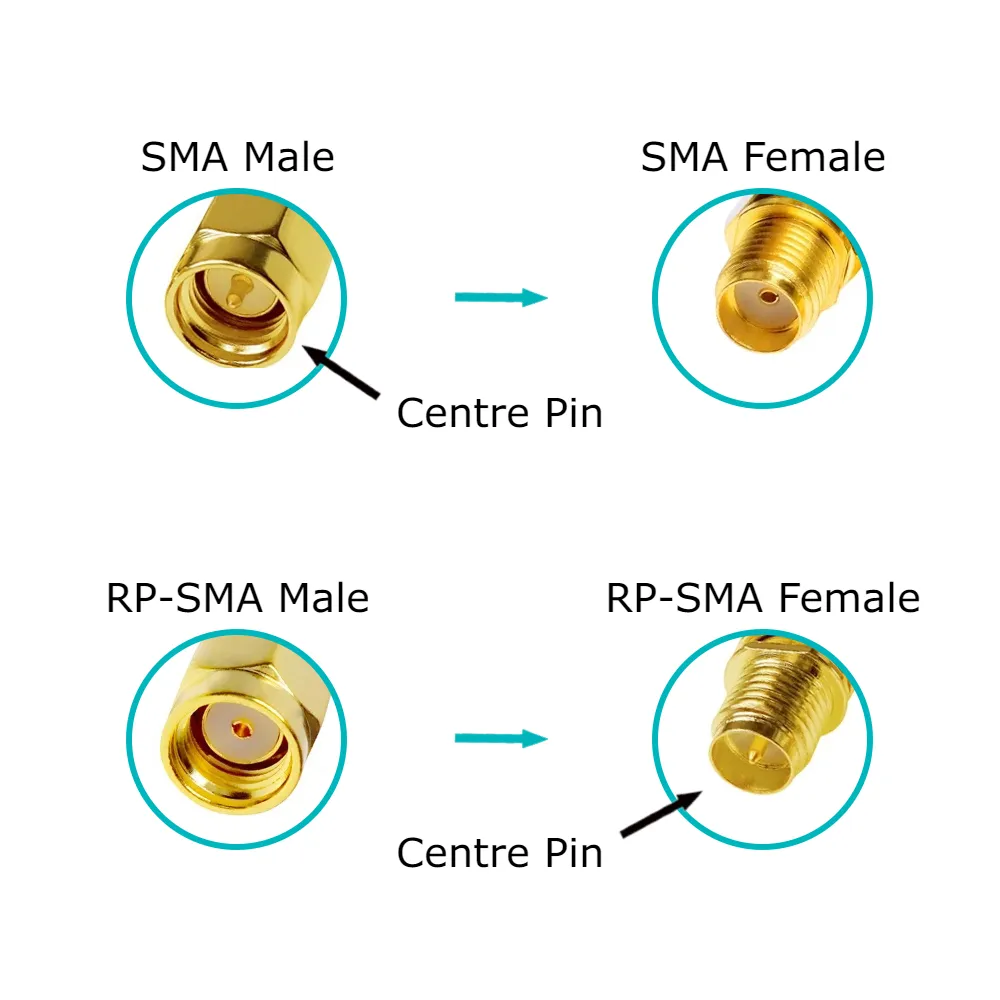
Looks like it takes a standard SMA antenna. The user manual shows support for 2.4/5GHz, so I just searched Amazon for “2.4 ghz 5 ghz stubby antenna” and there are a few $7 options for a pair of right angle antennas.
I did email support today asking if the kit is supposed to include one. I don’t see it on the accessories page of the manual (page 9), which shows what the kit ships with, so the exclusion may have been on purpose.
That said, as of right now, the Wi-Fi doesn’t seem to have any useful function. I turned it on and got my laptop connected to the network, but I couldn’t find any address that did anything. I wasn’t sure if it had a web based control interface (like Arri). I assume it’ll be used for upcoming features.
Yeah, I don’t really know why they didn’t include it from the start. I guess if the antenna was there they would have even more questions of how to access the non-functioning Wifi lol…
For reference, the antenna side is just a SMA Male.. Not RP-SMA Male… The antenna will need to have a pin inside the connector.
Until we have the firmware and can do range testing, I will be installing one of these cheapies from amazon.
I get the challenge of supplying cables to varies country’s however this is the first time I have bought something of this type and not gotten a cable much less 5 or more of them in the same box like DJI sends out with each drone lol.
No matter, I ordered this one for myself for now… They have it in 3ft, 5ft & 10ft options.
Thanks, I edited my post to “SMA”.