Spark Software & Firmware Update Thread (08/07 update: firmware v1.2.0)

Not spam at all and very very useful. Thank you for doing this for the community. :folded_hands:

I wish these Function buttons could be also set to parameters so we could then use the scroll wheel to select and push to set. Also, overlay on monitor really needs to be done quickly.

I would like to say that although this is fixed it is not working within the settings screen in 1.2. I tested with iris changes.

  • Fixed - Fn1 and Fn2 buttons don’t change settings from the live screen.
1 Like

Thanks for letting me know. I had my PL mount on so couldn’t test the iris functionality. 

But yeah, overlays should be a top priority. I have an upcoming shoot filming rockets where I have to remote trigger the camera and just hope it actually rolls as I’ll have no ability to remotely verify it’s rolling. :grimacing: And unfortunately the SDI doesn’t seem to pass through record flags to the monitor, so the built in monitor tally doesn’t activate either.

1 Like

1.2 said it included fast forward and rewind during playback using the scroll wheel. Honestly this is still almost unusable after checking. It isn’t scrolling fast enough even at 4x… It needs to be much faster and incorporate acceleration so we can scrub to the moments we need quickly. We can then pause and do frame by frame scrolling instead or 2x or 4x.

In an underwater housing which would be my use case, it would take so much scrolling to review on sight without access to the touch screen :sweat_smile: 

1 Like

Yes, I kept that on my “to fix” list as I couldn’t get the scroll wheel to function in any useful manner on playback. Only the touchscreen scrubbing was improved in my opinion.

1 Like

I honestly feel that the engineers should attempt to use the camera assuming they can’t use the touch screen at all. It would immediately highlight what needs to be incorporated and improved for a faster workflow.

There are a variety of reasons for this IMHO. In my case, obviously it would be the lack of ability to touch the screen in a housing. However, on land, a top handle gets in the way. And scrubbing during playback is also so inaccurate (the screen scrubbing bar needs to be way longer to be honest).

I do appreciate that the team is actively working on improving the camera and firmware though. And they are engaging and updating the community while doing so… Almost unheard of for most other companies.

Looking forward to the next update! 

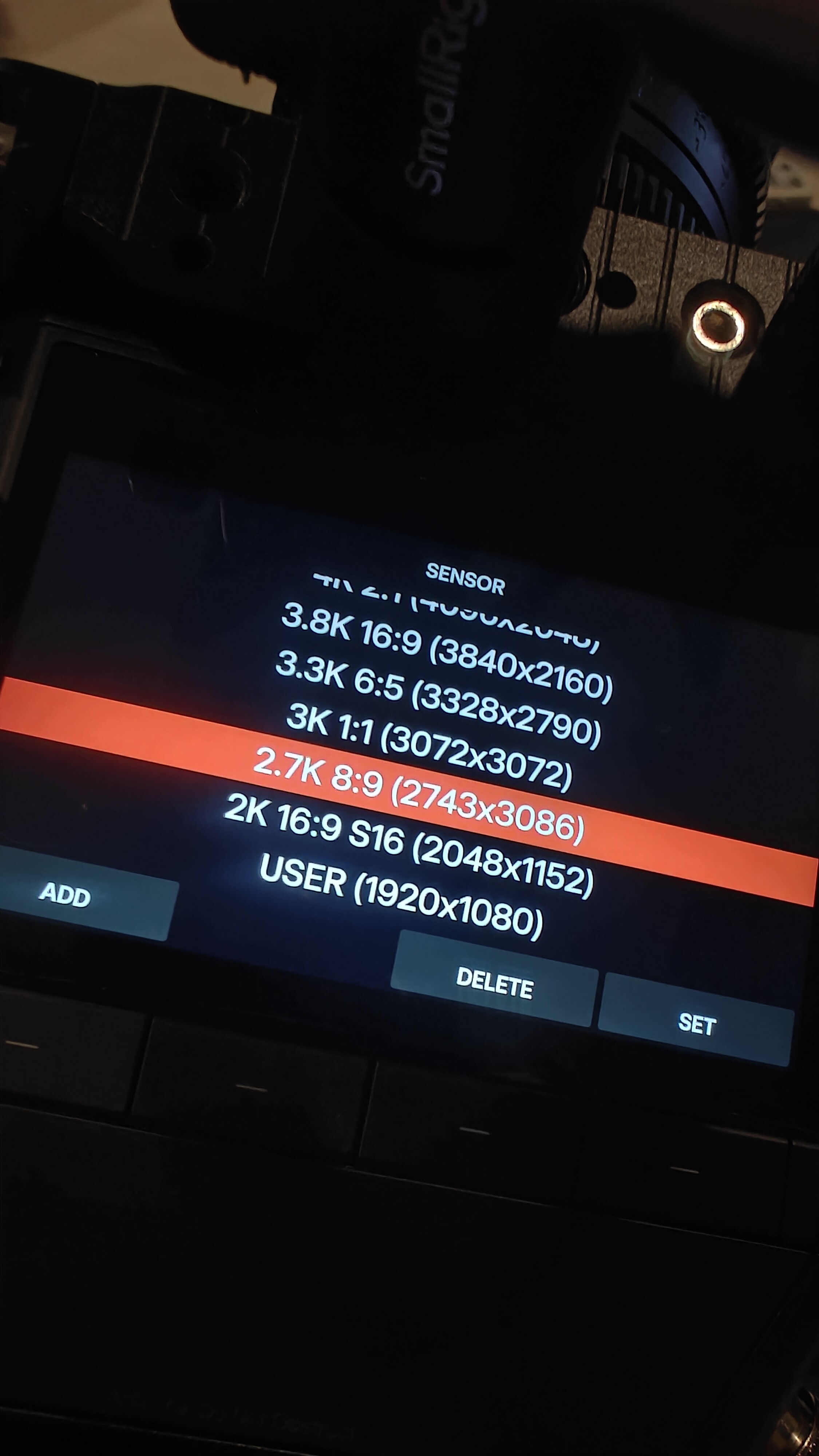
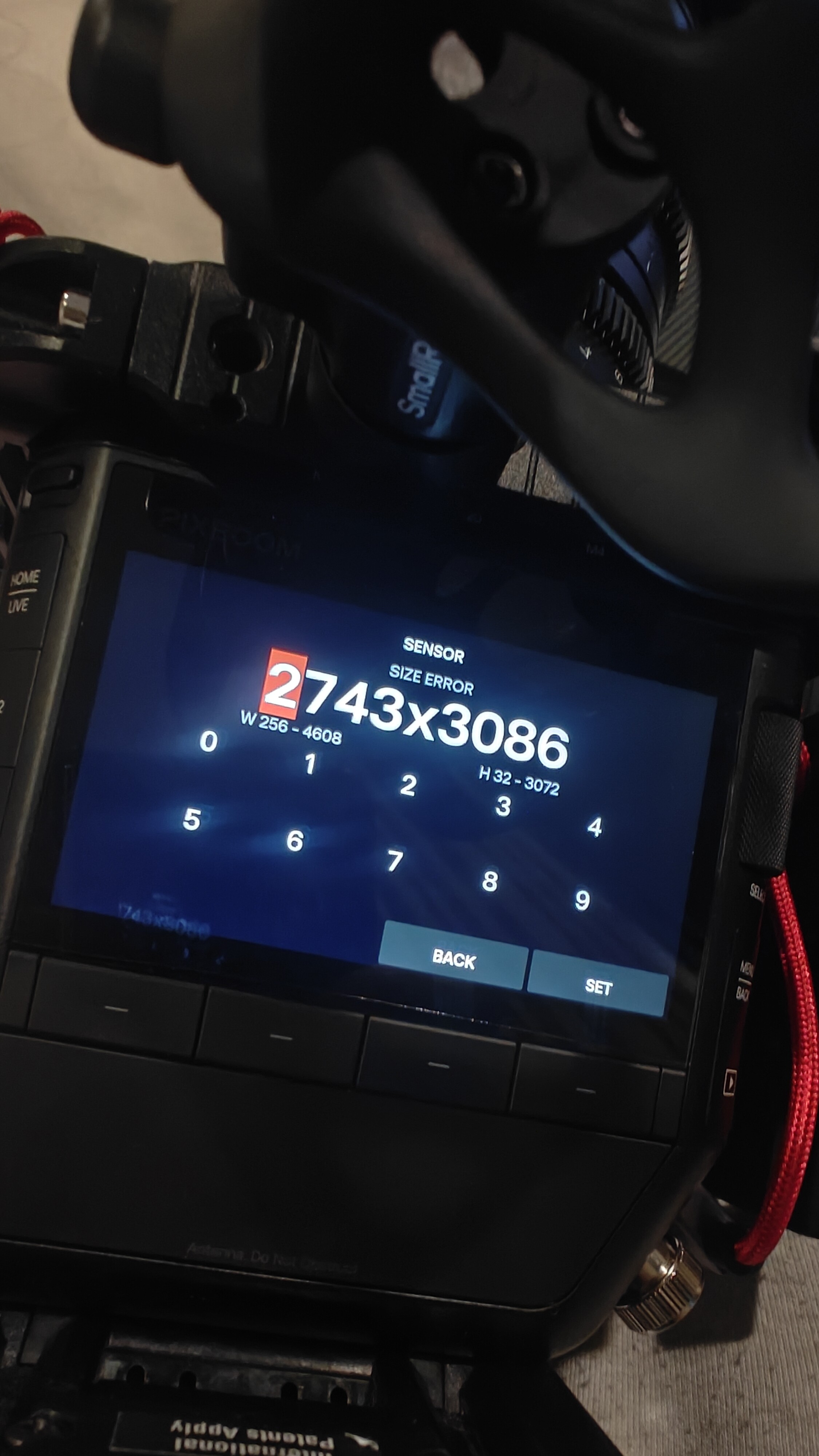
I wonder if this frame size within the saved list is an error as well. 

I would like to point out a bug when using the function buttons for iris changes.

I have set my function buttons to iris + and iris - for my E mount lenses. When I’m on the Live screen and using this to change aperture settings, (say F4 to F8 for example), it works OK… And when I go back to Settings, it shows F8. However when I change ISO after this in Settings, the Iris ALWAYS automatically reverts back to the pre function button change aperture. (back to F4 as per my example).

It is as if the changes made using the function buttons (when in LIVE mode) are not in memory and reverts back if I make any other changes later in settings.

I have tested this with both EF to E adapters and also Sony E mount lenses.

Iris changes should not suddenly shift if other parameters are modified. Could you kindly look into this please?

Parameter adjustments in Live mode can work (Iris +/-). However in the Settings screen, Function buttons should also be able to work and jump to the parameter settings where we can then use the scroll wheel to select what we need. When on screen overlay is finally working, I believe most users would stay on the Settings screen instead.

My only real use for the Live view right now is to access Playback and use that tiny scroll bar to search for the moments I need.

Hope this bug can be fixed in the next update! Thanks :folded_hands:

Edit : video upload does not seem to be working. Hopefully someone can also test to confirm that this is indeed happening wth their E mount lenses

Edit 2: I tested this with other parameters mapped to the Function buttons (ISO, Iris, Etc). Any changes made using the function buttons in LIVE mode will revert back to previous settings automatically if you subsequently make any kind of changes in Settings.. FPS changes, etc

[video]

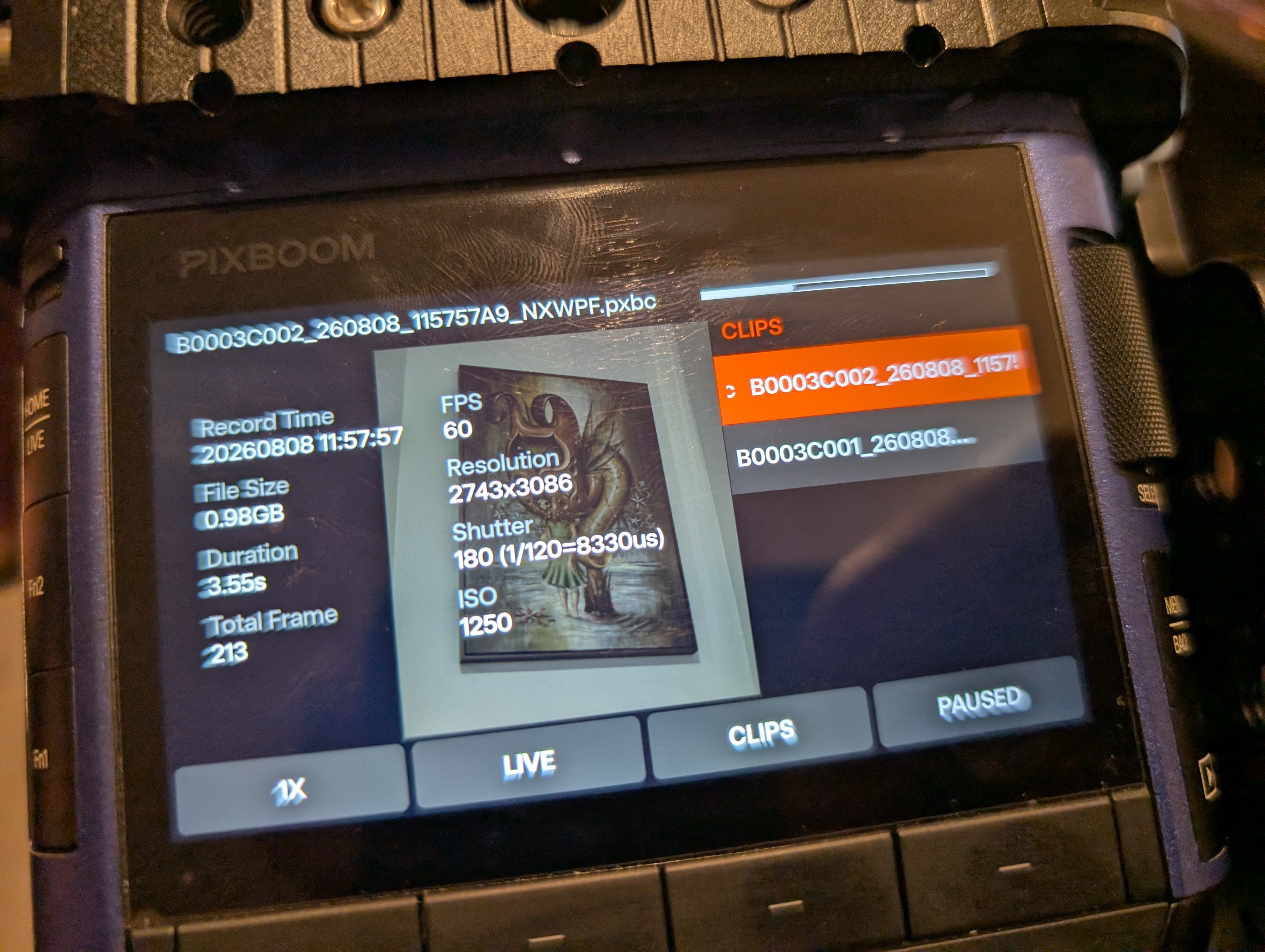
What’s weird is that I don’t get any errors when using that resolution preset. I’m able to record with it and my playback clip info shows 3086 pixels tall even though the sensor specs say it’s physical resolution is only 3072 pixels tall. But if I try to add a new resolution of 2742x3086, it automatically reduces the vertical resolution to 3072 when I save it.

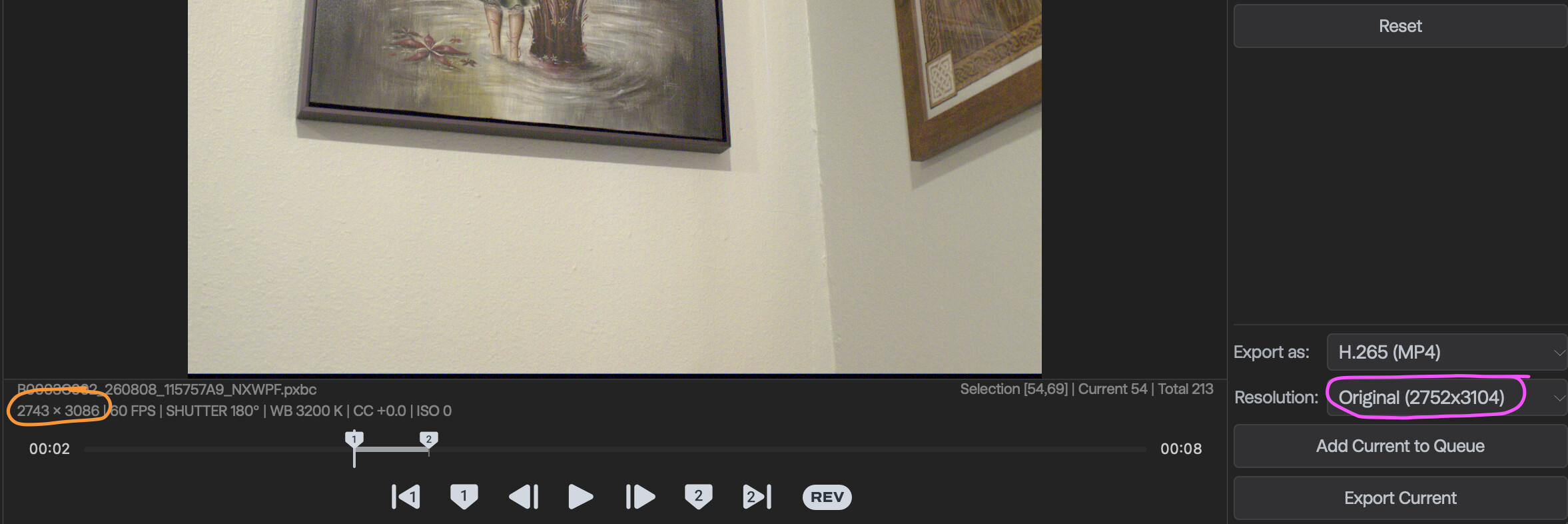
Pulling it into Pixboom Cine, I see 2743x3086 resolution in the clip info, but strangely, if I export with the Resolution setting to “Original,” it shows the original as an even larger 2752x3104 (and the resulting export uses that larger resolution).

1 Like

I tested this out on my camera. If I use the Fn1 or Fn2 buttons to make changes on the Live screen, go to the Settings screen, then back to Live, my changes remain and the displayed values are still correct.

If I use the Fn1 or Fn2 buttons to make changes on the Live screen, go to the Settings screen, then go into the Menu, then back to Live, my changes remain but the displayed value is also correct.

If I use the Fn1 or Fn2 buttons to make changes on the Live screen, go to the Settings screen, then go into the Menu, then back to Settings, my changes remain but the displayed value is incorrect.

I ran a couple tests:

My shutter starts at 180° and in the Live screen I use my Fn button (Shutter-) to change it down to 45°. I go to the Settings screen and then back to Live and it still shows 45° (and is appropriately dark). But if I go to Settings>Menu>Settings (or Live), then the shutter shows up as 180° on both the Settings and Live screens even though it is clearly still set to 45°. Clicking the Fn button to shift up or down again will then jump the shutter up or down one increment from the 180° setting and now displays both the correct shutter value.

When tested with the FN assigned to ISO-, I start at 1600. In the Live screen I click the Fn button until I’m at 400. I go to the Setting screen (where it says 400) and back to the Live where it still correctly displays 400. If I add in the Menu step again (Live>Setting>Menu>Setting) then the displayed value jumps back to 1600 upon leaving the Menu and in the Live screen I can clearly see that it’s still at 400 ISO levels of image brightness even though the on-screen value is claiming 1600. As with the shutter, if I then click the Fn button it will make the change based on the claimed 1600 value (at which point it will properly show the 1250 value as well as actually using that corresponding setting).

So my findings are:

Live>Settings>Live - the displayed values stay correct

Live>Menu>Live - the displayed values stay correct (unless I then access the Settings page afterwards)

Live>Settings>Menu>Live - the displayed values are incorrect

Live>Menu>Settings - the displayed values are incorrect

So it seems accessing both the Settings and Menu pages after having used the Fn buttons to make changes is what causes the issue, as Live to/from just the Menu or Live to/from just Setting does not trigger incorrectly displayed settings nor does accessing the Menu after going to the Settings page (as long as I skip returning to the Setting page and go directly to Live), but as soon as I access the Setting menu at any point after being on the Menu page the display error will occur.

1 Like

I just wanna acknowledge and thank you for how much effort and time you’re putting into testing and providing feedback to Pixboom - we are all benefiting from your findings and recommendations.

2 Likes

What I meant is that the ‘harsh 709’ look is present when I shoot, open the file in PB Cine and also in Resolve, as long as the RAW settings are set to 709.  The moment I change to Blackmagic Design it unlocks the LOG workflow that actually has much more highlight information available than the Rec 709 makes you believe. 

There is nothing broken or unusual here - its good that the same look shows up across all different platforms. Its obviously not good how it looks - but thats a bigger issue.  Fixing the Rec709 preset look and ultimately opening up a LOG viewing will be great!

Here is a DNG still from the same clip: 

https://www.dropbox.com/scl/fi/2ccjhohjqjh2row2fm6d4/A001_C001_20260805_011215_00014132.DNG?rlkey=r3n08ryhmfb4akva3ok5t8gjv&dl=0

Thanks again!

1 Like

I’m installing the firmware update right now, and it’s been going for a while; is there any way to ensure that it’s making progress?

Maybe a progress bar, just something to show that the camera is still running the update, while the update is going would be helpful. Mine’s been on the “Updating…” screen for around ten minutes now without any change.

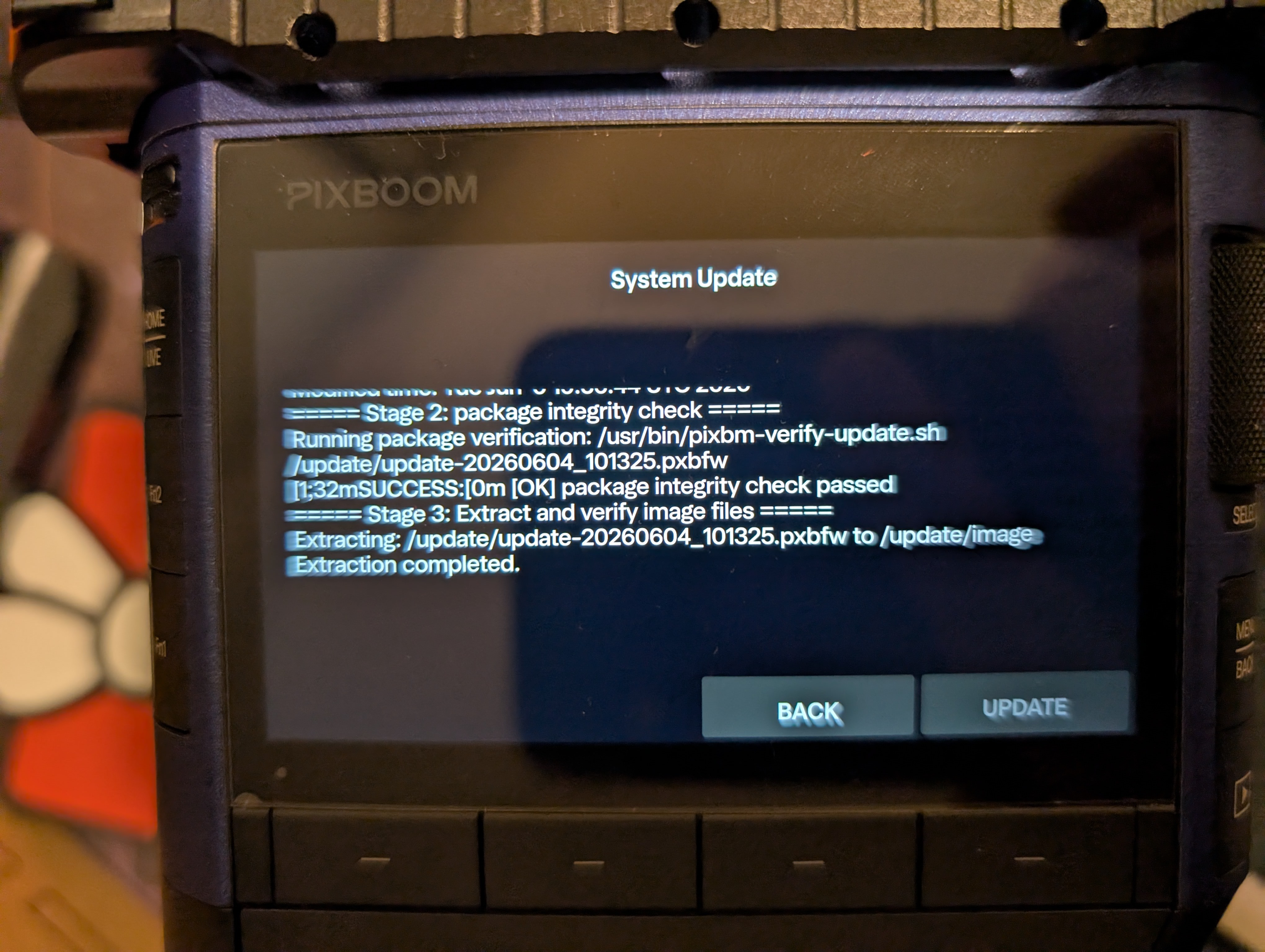
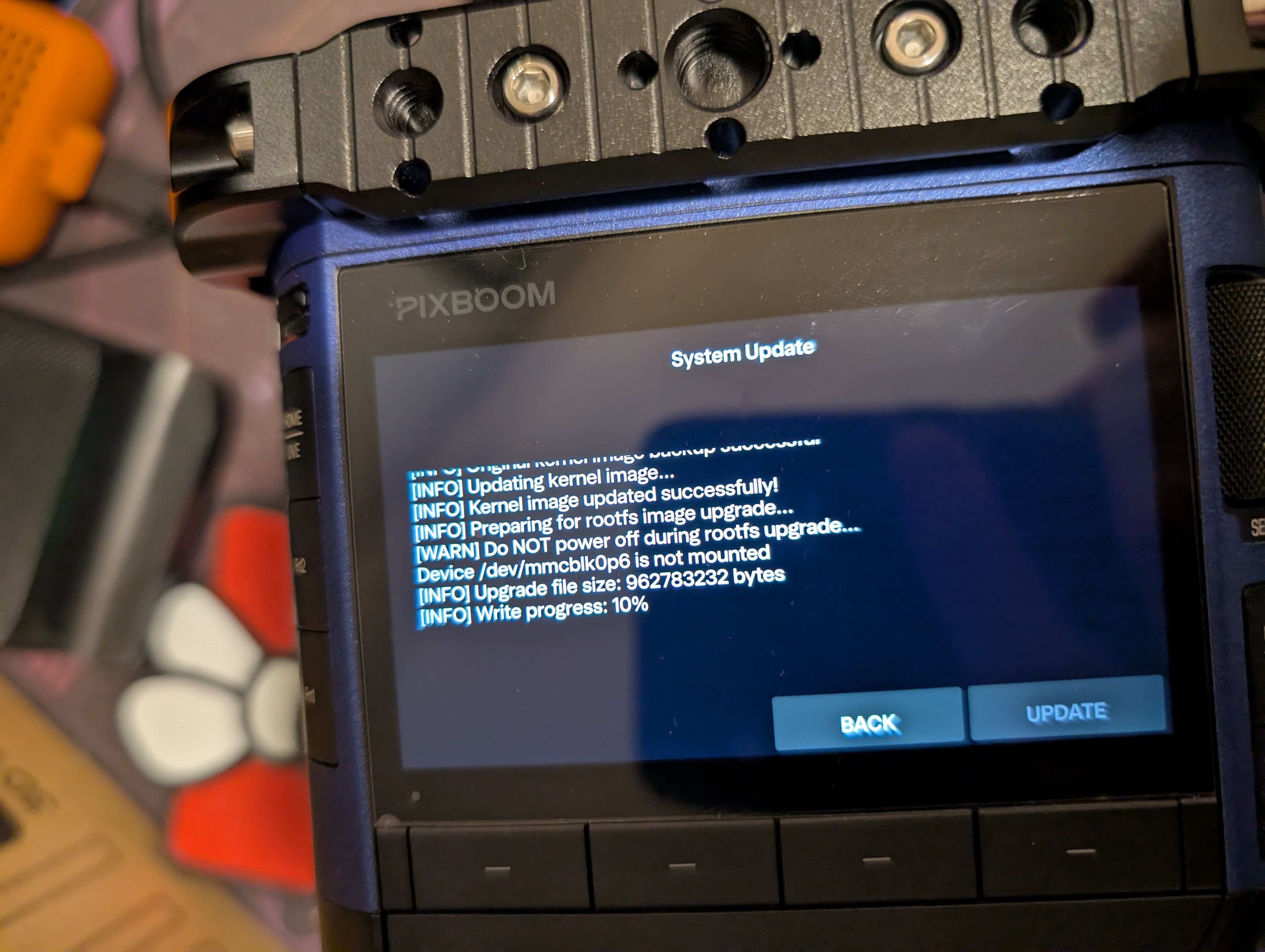
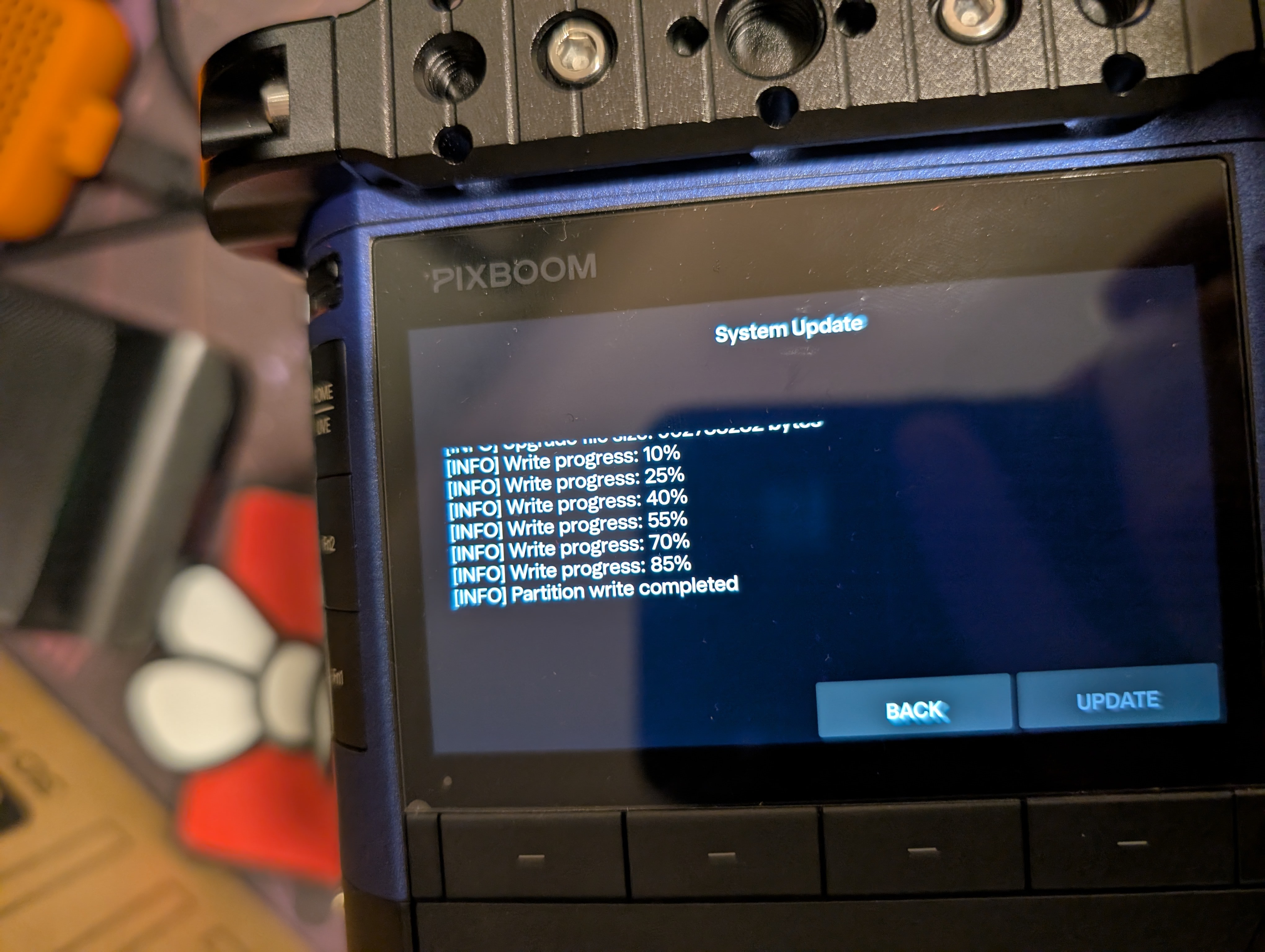
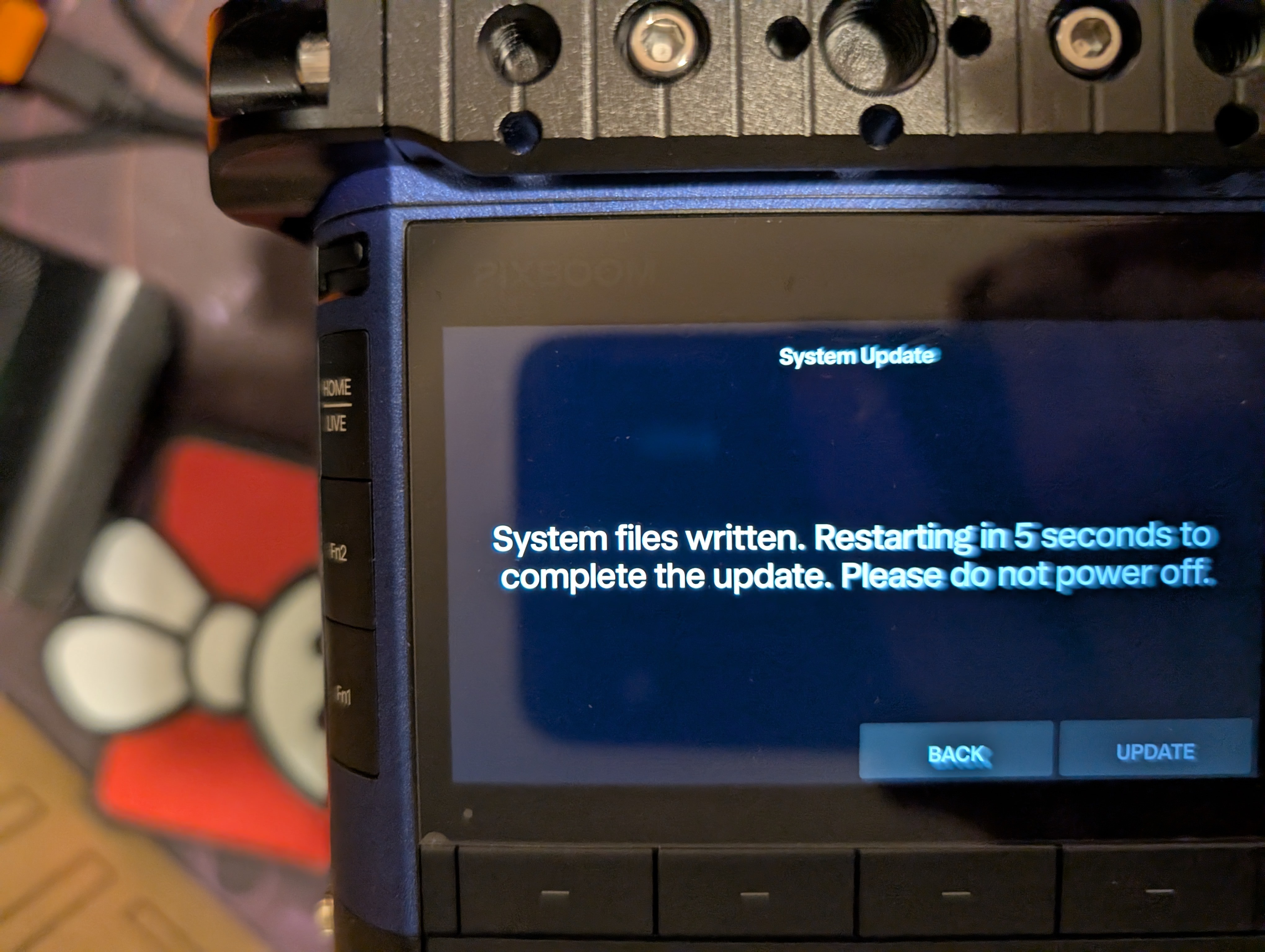
That doesn’t seem right. Usually there will be text on the screen showing it updating (including a few increments of progress) and it should only take a minute or so.

(pictures are from an older update, but the last one updated similarly on my camera)

It turned out that the USB stick had gotten unmounted, so the firmware update hadn’t even started. The do-over worked though.

2 Likes

Glad to hear that you completed the update successfully. Thank you for your feedback. I’ve noted this usability issue and will take it into consideration.

1 Like