Yes, Spark has a dedicated sync port specifically designed for camera synchronization and triggering.
Thank you for your great suggestion! We will add this feature! You may have noticed that there are two physical buttons (FN1 and FN2) that can be customized by the user. Perhaps we could integrate the mode-switching functionality as part of the customization for these two buttons. Alternatively, we could add it to the GUI. Let us think about it!
1 Like
We have carefully designed the packaging to ensure safe transportation, and it looks great too! Additionally, Spark has already reached the $2 million milestone on Kickstarter! We will be gifting the Smallrig Cage!
2 Likes
Awesome, thanks so much. The buttons will increase the good workflow!
1 Like
Hi there team Pixboom!
This might be a silly question but I can’t find it anywhere on the specs page.How long is the startup time of the Spark? I’m currently shooting a camera with ± 30 seconds of startup which isn’t ideal for most of my work (E.G. weddings, wildlife, events)
Also, how long do you think the Spark will run on a Smallrig Mini VB 50?
And what does the top of the included cage look like? Does it have a nato rail or screw holes?
Love to hear from you guys!
The optimization of startup time will be finalized after the complete development of the software system/GUI, so there’s no final number to share at the moment. However, we can confirm that this is one of our key areas of focus for improvement.
Under maximum recording specifications, Spark’s power consumption is approximately 43W. With a 50Wh battery, you can record for over 1 hour.
Yes, the top of the cage does feature a NATO rail and screw holes. Below is a sample for reference.
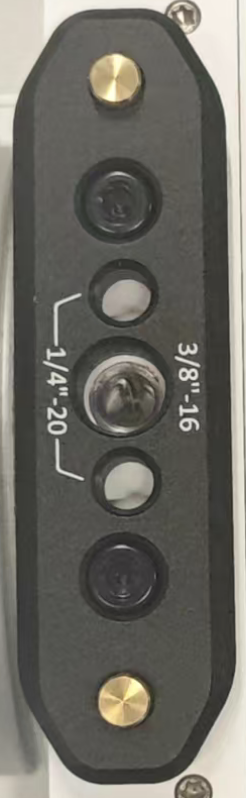
1 Like
Thanks for the quick response! I also saw a clip on Instagram from shadisharar.dop where they speak about the spark having a ef mount for canon lenses. Is this true? Because if so, i can stop my shopping spree in e-mount lenses ;)
@admin @young Will we have the ability to cut and trim a file recorded in camera to free up space as we shoot?
中国什么时候可以购买呢。我已经迫不及待
hi,您可以在ks下单,中国地区可以发货的!
Yes, EF is one of the mount options you can pick from on the Kickstarter (E, EF or PL).
1 Like
Awesome! Thanks!
Hi everyone,
so one of the cool feature (?) of Phantom cameras we’ve used during some action sports events, was to utilize buffering process to use that playback of the clip in slowmotion over SDI (or whaterver there was) port for the broadcast. I’m looking for a way to do that with Pixboom as well. So let’s say something interesting happened and I want to play it in slowmotion over the sdi port as soon as possible afterwards. What’s possible?
Hey, the process is very straightforward: once you’ve captured the shot, you simply hit the playback button (or trigger it remotely via our API), and you can immediately play that clip back in slow motion through the SDI port.
Hi Young, that’s great about the playback for instant replay, quite interested in that for some of my purposes. Is there a way to make the SDi output a clean feed when playing back? That would be quite critical.
Great question. Yes, absolutely.
You’ll be able to toggle the on-screen display (OSD) off for a completely clean SDI feed during playback.
Just passing this on from the Kickstarter comments section, likely in regards to the loud fan noise we’ve been hearing in the early hands-on videos:
Q: Is there any way to swap the fans for noctua or similar?
A: Hi there,
To answer you directly, we’ve already selected a top-tier fan from one of the world’s best brands for high-performance, low-noise compact fans. So we’re definitely on the same page when it comes to prioritizing quiet operation.
What you’ve heard in some of our current test videos is a great observation, and there’s a simple reason for it: the fan control software isn’t implemented yet. As a default, the fan is currently running at 100% speed all the time.
You can think of the noise level in those videos as the absolute worst-case scenario. This is the noise you would only hear when the camera is operating in an extremely hot environment (over 40°C / 104°F).
For the final production model, two things will change:
Adaptive Cooling: The fan speed will be automatically and intelligently controlled based on the ambient temperature to ensure it’s always as quiet as possible.
User Control: We will also be giving users full custom control over the fan, including different speed/power settings and the option to turn it off completely.Hope this clarifies things!
1 Like
would be great to have an option to map one of the buttons to playback the very last clip, without having to select stuff in the menu[quote=“Young, post:130, topic:23”]
You’ll be able to toggle the on-screen display (OSD) off for a completely clean S
[/quote]
1 Like
Got it. Just to clarify, the SDI/HDMI output can provide a clean video feed, so none of the menu-related options will appear on it. You can adjust the menus separately, either on the camera’s built-in screen or in the app.
1 Like
Hello, the payment was supposed to be charged on October 18, but it still hasn’t been withdrawn from my card. Is there a problem?
1 Like